Handling Complaints
Members of the public can report concerns about food safety, hygiene, licensing, and more. As a manager, you review these and record what was done.
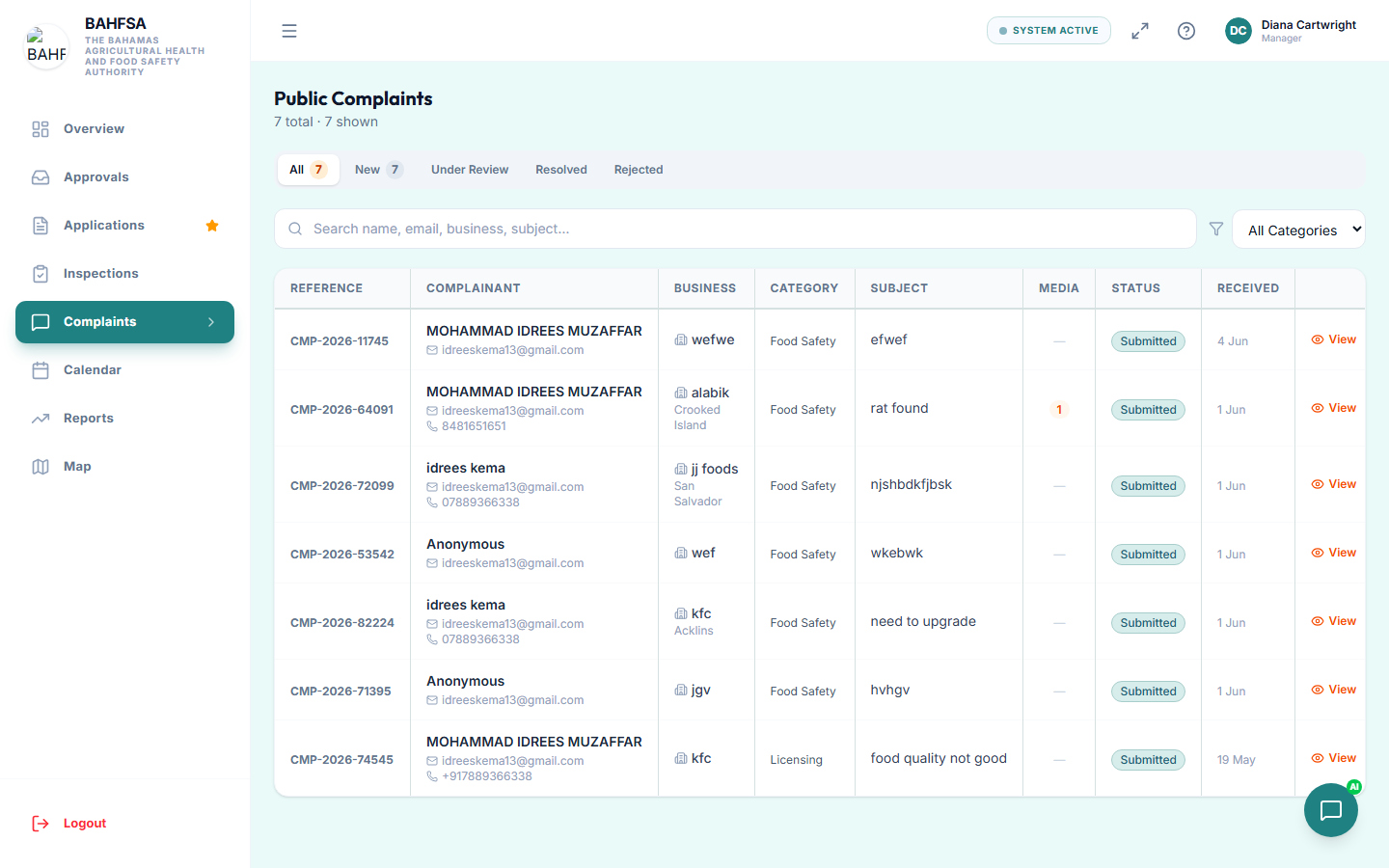 Filter, open, and resolve public complaints from here.
Find complaints
In the menu, select Complaints. You'll see all submitted complaints, with filters to narrow by status, category, or a search term.
There's also a quick statistics view so you can see volumes at a glance.
Review a complaint
Select a complaint to open it. You'll see:
- The type and a description of the concern.
- The business involved.
- Any product details (brand, batch number, expiry, etc.).
- Photos or videos the reporter attached.
- The reporter's contact details — unless they chose to stay anonymous.
Record the outcome
As you investigate and resolve a complaint, update its status and record the resolution:
- Open the complaint.
- Change its status (for example, to under review or resolved).
- Add a resolution note describing what was done, and who handled it.
- Save.
This keeps a clear record of how each concern was handled.
:::note Anonymous reports If a reporter chose to stay anonymous, you won't have their contact details and can't follow up with them directly — work from the information and media they provided. :::