Applying Online
You can apply for permits, licences, and other services from your computer or phone.
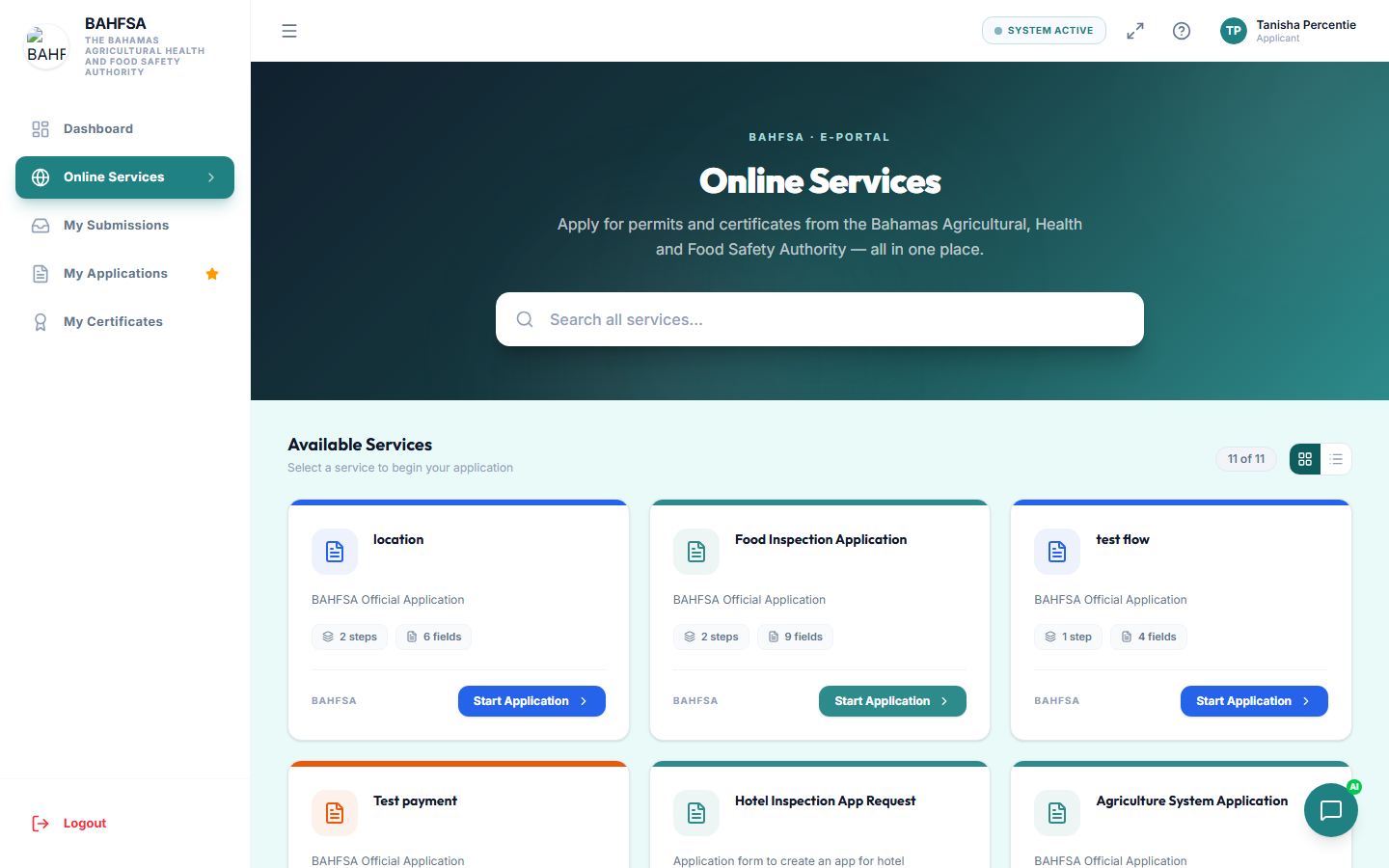 Browse available services, then select one to start your application.
Step 1 — Find the service
- In the menu, select Online Services (or Apply).
- Browse the list of available services.
- Select the one you need to see its details, then choose Start or Apply.
:::tip Shared link Sometimes you'll be given a direct link to a specific application. Opening it takes you straight to that form — you'll just need to sign in or register first. :::
Step 2 — Fill in the form
Applications are split into easy steps, shown by a progress indicator at the top.
- Fill in each field. Required fields are marked and must be completed.
- Some forms ask you to upload documents (for example, an ID or a business licence). Have these ready as files or photos.
- Some forms ask for a signature — you can sign on screen.
- You can move Back and Next between steps.
Your progress is saved
If you need to stop, your application is saved as a draft. When you return, you can pick up right where you left off — look under My Applications or My Submissions.
Step 3 — Review and submit
- On the final step, review your answers.
- If there's a fee, you'll be guided to payment — see Paying Fees.
- Select Submit.
Once submitted, you'll get a reference number. Keep it — it identifies your application.
What happens next
Your application moves into review, and an inspection may be scheduled. Follow its progress in Track Your Application.