Roles & Permissions
Roles and permissions control who can do what in the Portal. Every user has a role, and each role is allowed a set of permissions.
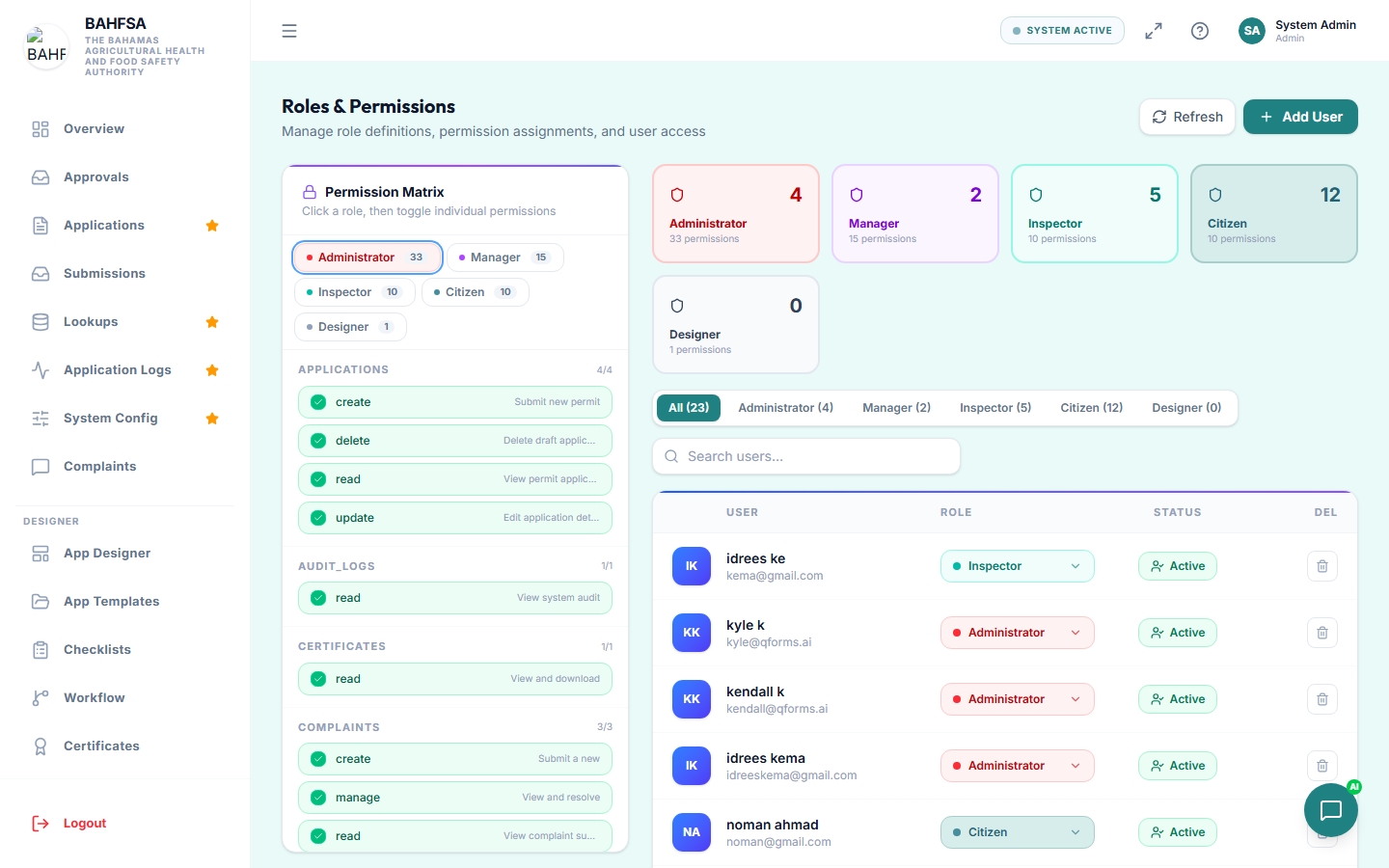 Create roles and toggle each permission on or off.
The idea
- A permission is a single thing someone can do — for example, "view applications" or "approve inspections".
- A role is a named bundle of permissions — for example, Inspector or Manager.
- Each user is given one role, so they get exactly the access that role allows.
This means you set up access once per role, and every user with that role inherits it.
Managing roles
In the menu, go to Roles (or Settings → Roles).
- Create a role — give it a name, description, and colour.
- Edit a role — turn individual permissions on or off using simple toggles. The screen lists permissions grouped by area.
- Delete a role — only possible if no users are using it.
Some roles are system roles and are protected — you can't delete them, to keep the Portal working.
Assigning a role to a user
You set a person's role when you create or edit their account — see Managing Users.
The administrator role
Administrators automatically have full access to everything. You don't need to grant individual permissions to admins — focus permission settings on the other roles.
:::tip Plan your roles Think in terms of jobs: what should an inspector be able to do? A manager? Create a role per job and tune its permissions, rather than adjusting people one by one. :::