For Administrators
Administrators set up and run the Portal. You can do everything managers and inspectors can, plus manage people and design how the whole system works — without writing any code.
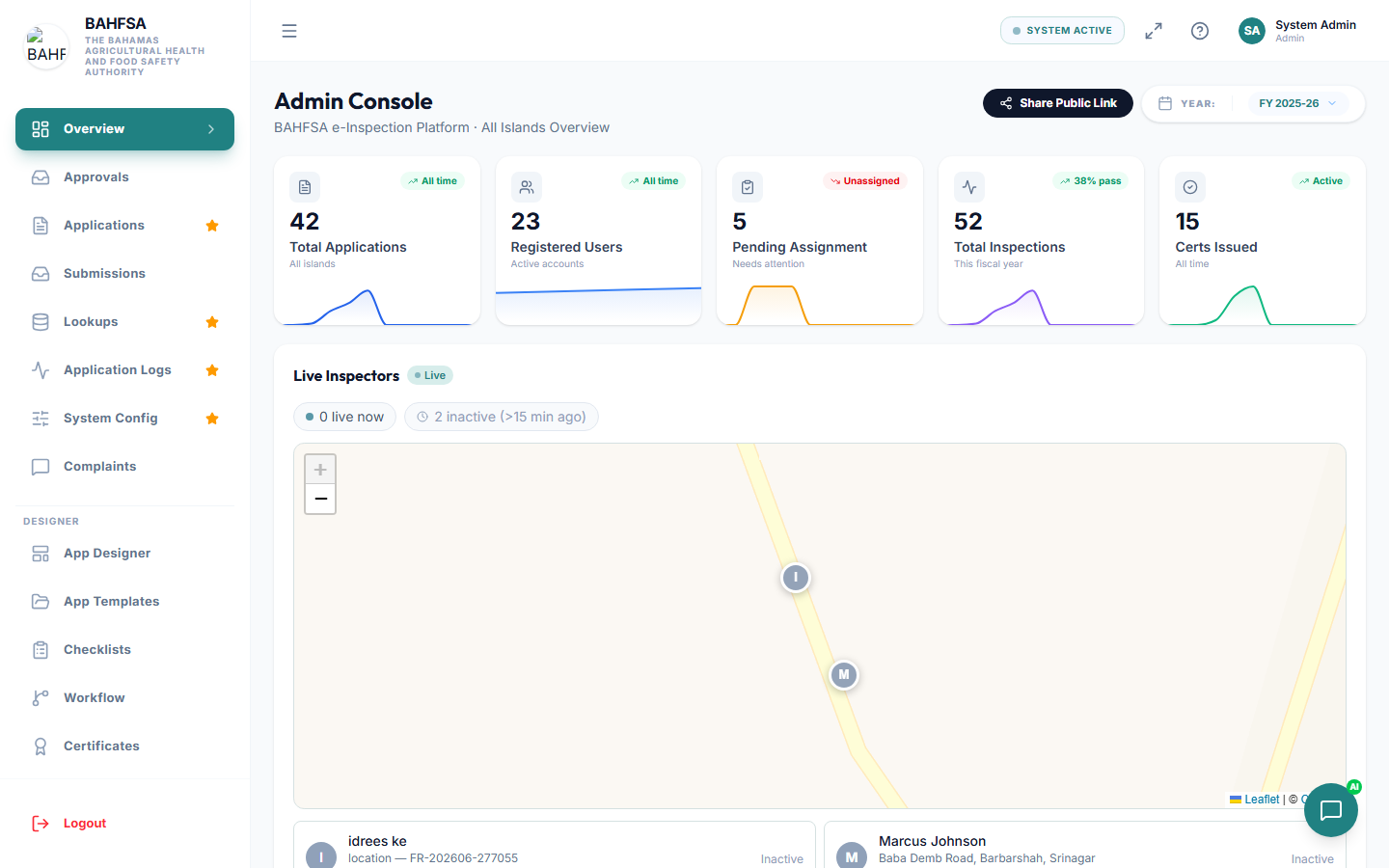 Administrators get the full menu, including the Designer section for building forms and workflows.
What you can do
| Area | Description | Guide |
|---|---|---|
| 👤 Manage users | Create and manage staff accounts. | Managing Users |
| 🔐 Roles & permissions | Control who can do what. | Roles & Permissions |
| 🧩 Design forms | Build the online application forms citizens fill in. | Designing Forms |
| 🔀 Build workflows | Decide the steps every application goes through. | Building Workflows |
| 📋 Checklists | Create the checklists inspectors use. | Checklists |
| 🏅 Certificates | Design the certificates that get issued. | Certificates |
| ✉️ Email templates | Design the emails the system sends. | Email Templates |
| ⚙️ System settings | Manage dropdown lists and global settings. | System Settings |
| 🔄 Import / export | Move data in and out in bulk. | Import / Export |
| 📈 Reports & monitoring | Oversee performance and system health. | Reports & Monitoring |
The Designer section
Most of the "build it yourself" tools are grouped under a Designer section in the menu, in this order:
- App Designer — build application forms
- App Templates — manage your saved forms
- Checklists — build inspection checklists
- Workflow — design the steps applications follow
- Certificates — design certificates
- Email Templates — design emails
Together these let you launch a brand-new service end to end: a form to collect information, a workflow to route it, a checklist for the inspection, and a certificate and emails at the finish.
How the pieces fit together
Form (collects info)  →  Workflow (routes & approves)  →  Checklist (inspection)
                                   ↓
                    Certificate issued  +  Emails sent
Start with Designing Forms, then connect a workflow.